
Install the app
- In the menu, under , click , find AI writer in the App Store and click Install.
- The app’s settings open, titled “AI writer”. Show the « Write with AI » button in the listing form is on: the button is ready in every listing form.
The settings also show how many of the month’s drafts are used.
Draft the texts of a listing
- Open a listing from Catalog.
- In the Description card, click Write with AI. The AI reads what the form holds now (title and description, even unsaved), the category, the order type, the price, the attributes shown on the storefront, and the photos. A draft comes back in a few seconds.
- Read each text. Click Use next to the ones you keep, or Use all the texts: they replace what the form holds.
- Change what you like, then click Save.
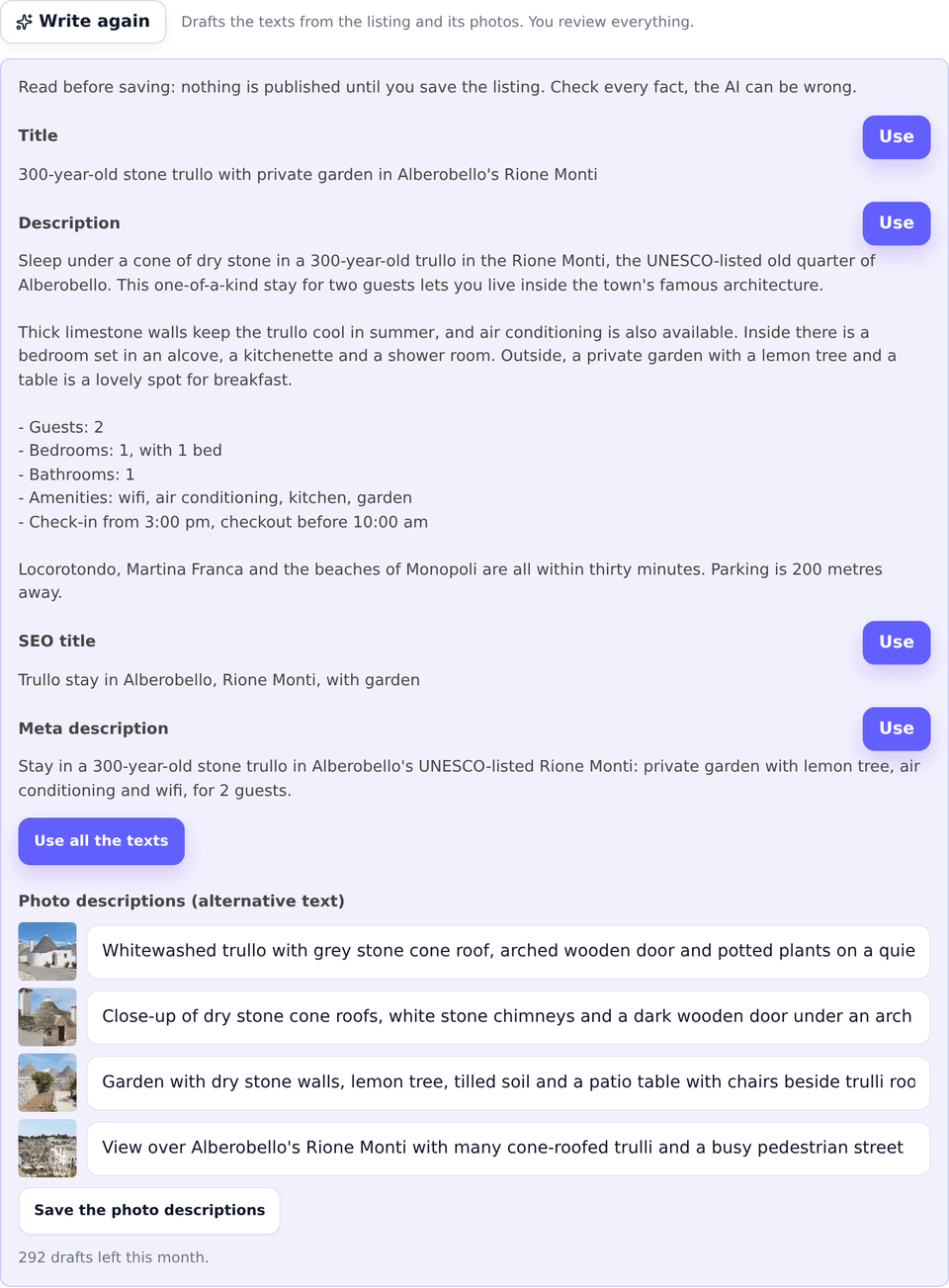
Click Write again for another draft. Each click counts as one draft.
Describe the photos
The draft ends with a description for each photo, its alternative text, read by screen readers and image search.
- Correct the descriptions in their fields if needed.
- Click Save the photo descriptions: they are saved on the listing’s photos at once, without saving the rest of the form.
Offer it to your sellers
-
Open the app’s settings: Plugins, then the AI writer settings.
-
Switch on Also offer it to sellers in their own listing form and click Save Changes.
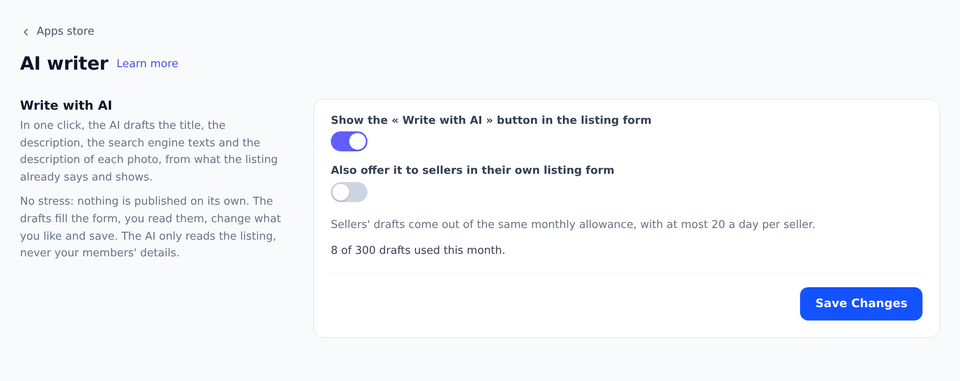
Sellers then see a Write with AI button under the description of their listing form, when they create a listing or edit one of theirs. It drafts the title and the description only.
What your users see
Nothing changes on the storefront: your users see the texts you saved, as for any listing. When you offer the button to sellers, they get it in their listing form, and the texts they keep are theirs to save.
Edge cases and limits
- The language is your marketplace’s, not the language of your account: a marketplace in English gets English texts.
- The lengths are those search engines display: the SEO title stops at 70 characters, the meta description at 170, a photo description at 125, cut at the end of a word.
- The facts come from the listing only: the AI never adds a brand, a size or a promise the listing does not give. Check each draft all the same: it can misread a photo.
- Your members’ details are never sent: the AI reads the listing, not its seller.
- A seller gets at most 20 drafts a day, out of the marketplace’s 300 a month, and only for a listing they are writing or one of theirs.
- A refused listing: when the AI declines to write about a listing, the panel says so, and nothing is counted.